Checkout that takes every payment
Square takes major credit cards, contactless payments, keyed in payments, cash and Square Gift Cards, in person, online or over the phone.
Receipts can go out by email or text, or print at the counter.
Square is a full point of sale system with payments, hardware, online tools and business software in one account. Register, Terminal, Stand, Handheld and Kiosk work within the same account, with modes for restaurants, retail, bookings and services. Phase 3 sets it up around the way the business sells.
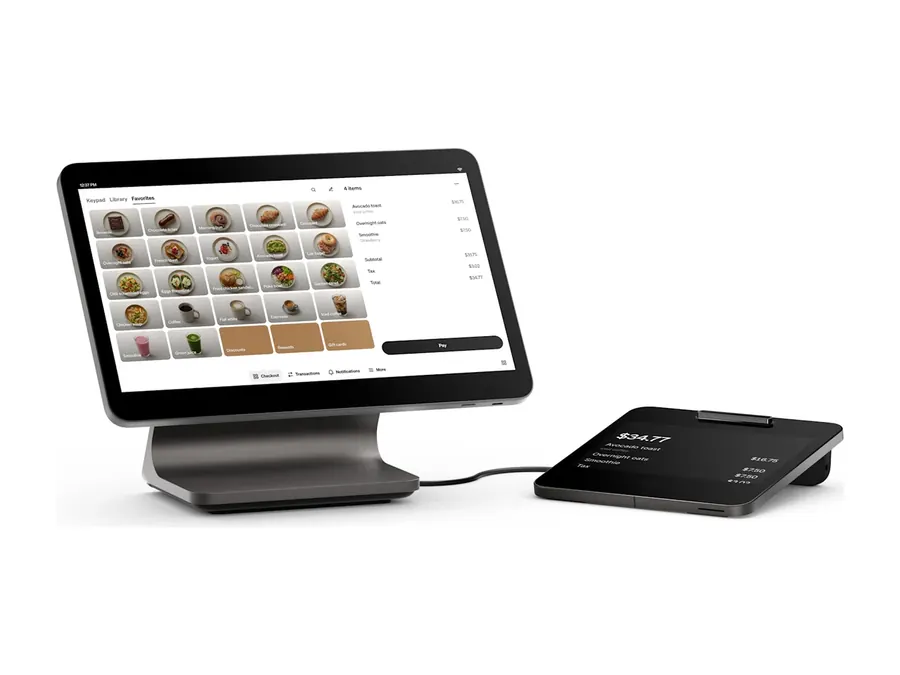
Square brings checkout, items, inventory, customers, staff and online sales into one point of sale system.
Square Point of Sale has modes for food and beverage, retail, bookings and services, so each business gets the tools built for the way it works.
Square takes major credit cards, contactless payments, keyed in payments, cash and Square Gift Cards, in person, online or over the phone.
Receipts can go out by email or text, or print at the counter.
Square offers payment, point of sale, hardware, and business software that can work within the broader Square account and product environment.
Sales, items, customers and staff stay connected in the same account.
Square offers tools for businesses that sell in person and also need online ordering, ecommerce, invoices, or other digital payment workflows.
The exact products, plans, configuration, and integrations should be reviewed for the merchant's actual use case.
Square Register, Terminal, Stand, Handheld and Kiosk work within the same Square account, so the counter, the floor and the self service station share one system.
Barcode scanners, receipt and ticket printers and cash drawers complete the countertop.
Square includes team access and permissions, shift scheduling and time tracking, built in rewards, email and text marketing, and real time reporting on sales, team and customers.
Phase 3 confirms which tools are part of the configuration before the setup is approved.
Checkout, items, inventory, customers, staff and online sales live in one Square account instead of several systems. Phase 3 sets it up around the way the business already works.
Square hardware covers the countertop, the floor and self service, and each device works within the same Square account.
The right setup depends on where orders happen, where customers pay, and what the staff needs to do.
Phase 3 matches each device to the job it has to do.
For a fixed register, counter, service desk, or checkout area.
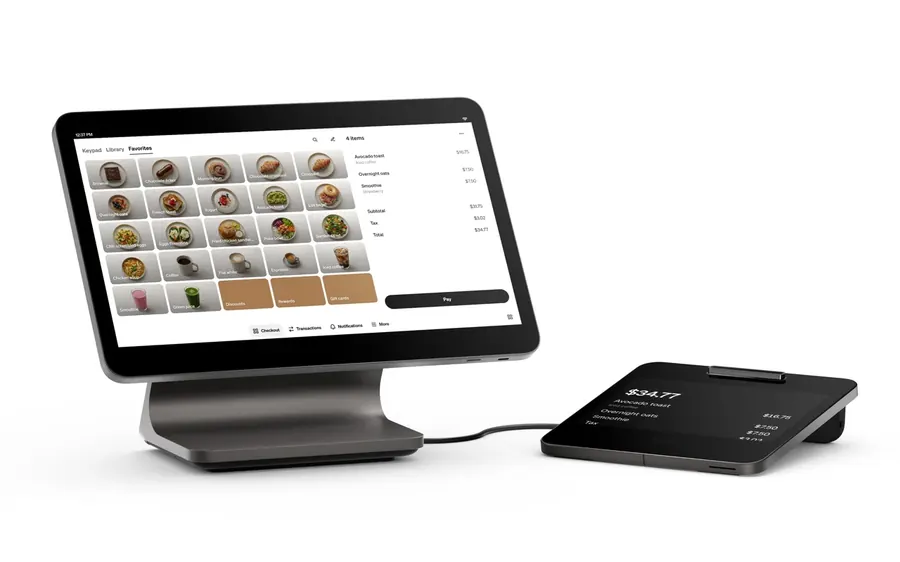
Full countertop POS
Square Register is Square's dedicated countertop point of sale with an employee display and a separate customer facing display for checkout and payment.
A strong option when the business wants a purpose built Square register rather than building the setup around an iPad.
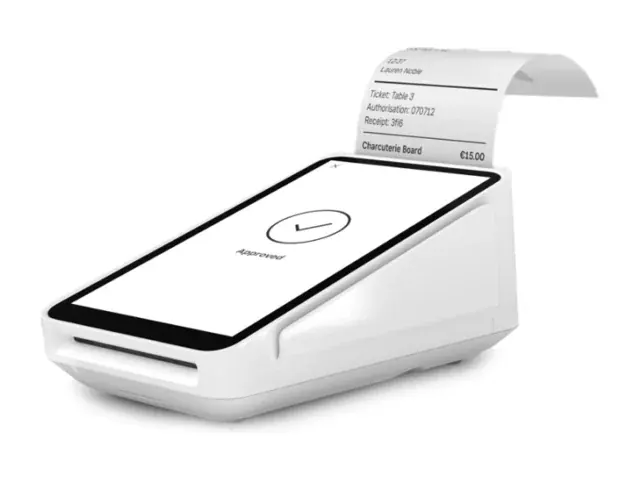
Compact POS with a printer
Square Terminal combines payment acceptance, a touchscreen point of sale experience, and an integrated receipt printer in a compact device that can live on a counter or move when the workflow requires it.
Built to work best from a countertop while staying compact and easy to move.
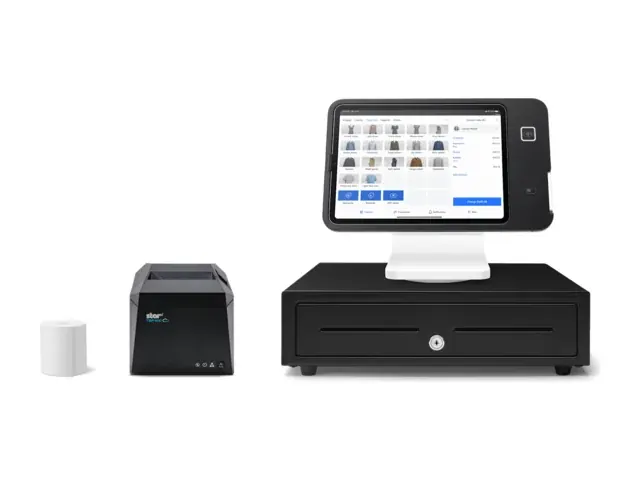
Turn a compatible iPad into a POS
Square Stand creates a countertop Square point of sale around a compatible iPad and lets the screen turn toward the customer for checkout and payment.
Additional accessories can be added when the merchant workflow requires them.
For employees or businesses that need to take the payment away from a fixed register.
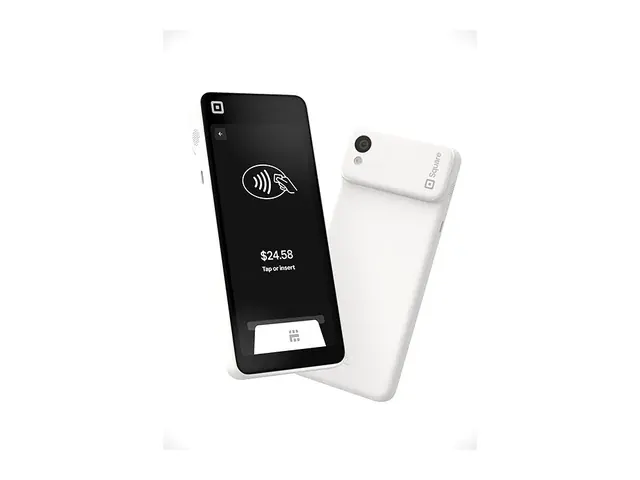
Full POS that moves with the staff
Square Handheld is a portable point of sale with integrated payment acceptance for taking orders, checking out customers, and performing supported Square tasks away from the main counter.
Square also includes built in scanning and camera capabilities that can support applicable retail and item workflows.
For businesses that want the customer to place the order and complete payment without requiring an employee to enter every transaction.
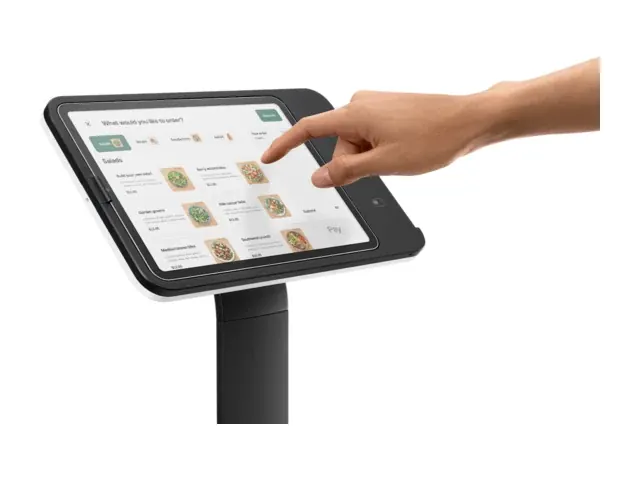
Customer self service
Square Kiosk combines Square kiosk hardware with a compatible iPad and the applicable Square Kiosk software for customer ordering and payment.
It should be evaluated when self service improves the actual ordering workflow, not simply because the hardware is available.
A business may run Registers at the counter, Handhelds on the floor and a Kiosk for self service, all in one Square account. Phase 3 matches the devices to the way orders and payments move.
Product photography supplied by Block, Inc.
Square can fit very different businesses for very different reasons. What matters is whether its checkout, payment, software, online, and device options line up with the way the business actually works.
We review the current system and workflow, then set up the Square modes and devices that fit.
Pricing is a separate decision based on the merchant's actual numbers.
Square retail mode tracks stock in real time across locations and channels, with purchase orders, vendor profiles, barcode labels, refunds and exchanges.
The current store system should still be reviewed before replacing it.
See the retail workflow →
Counter service, table service, handheld ordering, tips, online ordering, and kitchen workflows can all be reasons to evaluate the applicable Square restaurant setup.
Square works for cafes and coffee shops, from the counter line to handheld ordering, tips and online orders.
Square fits quick service counters, with fast ordering at the register, handhelds for the line, and self service kiosks.
Square can run a food truck, with a handheld or a compact countertop setup that moves with the truck.
See the restaurant workflow →
Booking, service checkout, tips, deposits, retail products, memberships, and recurring payments can make the broader Square ecosystem worth evaluating.
If the existing booking system already works well, determine whether it actually needs to be replaced before changing it.
See the salon workflow →
Square services mode brings invoices and estimates, contracts, appointments and real time payment tracking into the same account as in person checkout.
A business focused primarily on remote invoices, recurring billing, or payment links may also want to compare Phase 3 VT or another payment setup.
See the professional services workflow →
Square can be worth evaluating when the merchant wants Square's online and in person commerce tools to operate within the same broader ecosystem.
If the business needs a specific gateway, ecommerce platform, checkout architecture, or integration, compare those requirements before choosing Square for online payments.
See the online store workflow →
Square services mode brings invoices, estimates and contracts on the go, with payments tracked in the same account as the rest of the business.
Phase 3 reviews how jobs are quoted, invoiced and paid before setting it up.
See the construction workflow →
Two businesses in the same industry can need very different setups. Square earns the recommendation when its modes, devices and tools cover the way the business runs.
Phase 3 reviews the setup again when the operation changes.
Not sure Square is the one?
Square cost comes from the pieces the business runs: payment processing, the software plan, hardware and any added services.
The total changes when the merchant adds hardware, different software capabilities, additional Square services, more devices, or other tools around the core setup.
The right comparison is the Square setup your business will actually use.
Processing cost depends on the Square plan, payment method, transaction type, merchant volume, and the Square arrangement that applies to the business.
Use the merchant's actual payment mix and expected transactions when comparing the economics.
Square offers different software capabilities and plan levels depending on what the business needs to run.
The applicable software cost should be shown separately from payment processing so the merchant can see what each part of the setup is doing.
The device mix depends on the business, from a countertop Register, Terminal or Stand to Handhelds on the floor, a Kiosk for self service, and accessories.
Hardware should be added because the workflow requires it.
A business may choose additional Square tools or third party services for functions beyond the core setup.
Each addition should solve a specific business need, and its applicable cost should be understood before it becomes part of the system.
A countertop setup and a business running multiple devices, paid software capabilities, additional services, and several payment channels are not the same cost.
Put the applicable pieces together before deciding whether the setup makes financial sense.
Square changes products, plans, hardware, features, and pricing over time. Phase 3 confirms the current configuration and applicable costs for the merchant before the business approves the setup.
As devices, software, and additional services are added, keep looking at the complete cost of the Square setup, not only the device price.
Square gives the business a full point of sale system. The configuration around it still decides how well it runs.
The payment workflow, software, hardware, merchant account needs, implementation, support, and total cost still deserve to be reviewed around the business that will actually use the system.
That is the part Phase 3 brings to the Square conversation.
We look at where payments happen, what the staff needs to do, which Square functions matter, what the current system already handles, and what the business is actually trying to improve.
The answer may be a Square setup built around that workflow, or something other than Square.
Square is only one part of the payment decision. Phase 3 reviews the merchant's payment flow, processing needs, account requirements, and the Square configuration being considered.
The goal is to understand what is being approved before transactions begin.
Hardware, software, additional Square products, devices, services, and payment processing can all affect what the merchant is actually buying.
Phase 3 should make the applicable pieces clear before the business approves the setup.
Phase 3 coordinates the implementation work that applies to the approved Square setup so the merchant knows what has to be configured, tested, and ready before launch.
The exact work depends on the business, Square products, existing systems, devices, software, and integrations involved.
Payment and equipment support is available from a US based team.
Depending on the issue, the next step may also involve Square, an integration provider, another software provider, the processor, or technology used in the merchant setup.
Phase 3 can also build and manage the public business website and provide ongoing search and advertising services through Phase 3 Digital.
Digital stands on its own. Payment processing and Square are not required.
Managed Website service is $99 a month with Phase 3 processing or $199 a month as Standalone Digital.
The value is helping the merchant choose the right Square setup, understand what it costs, get the applicable pieces configured, and know where to start when something changes later.
If part of the current setup already works, keep it.
Square is a full point of sale system, and the decision still deserves more than a quick signup.
Think about what the business needs today, what it may need next, what the complete setup costs, and what happens when the account or technology needs attention later.
No. Square is a full point of sale system with modes for restaurants, retail, bookings and services, and it can manage multiple locations from one account.
Size alone does not make the decision. The workflow does.
Then review the requirements again. Square adds modes, devices and tools inside the same account, but that does not mean it will always remain the right system for every workflow.
As the business changes, review the devices, software, locations, ordering, inventory, integrations, and payment needs again before adding more Square or replacing it.
Yes, payment accounts can be subject to review depending on the merchant, transaction activity, account terms, risk signals, documentation, and the payment relationship involved.
Accurate business information and a payment setup that matches the way the merchant actually operates matter, but no provider should promise that an account will never be reviewed or that funding can never be delayed.
The total setup changes as the business adds hardware, software capabilities, additional Square products, services, devices, or integrations.
Keep looking at what each addition does and what it costs.
Phase 3 payment and equipment support is available from a US based team.
Depending on the issue, the next step may also involve Square, an integration provider, another software provider, the processor, or technology involved in the merchant setup.
The important part is knowing where to start when something stops working.
Revisit the workflow when the operation changes and make Square earn the next stage too.
Square is a full point of sale system. That does not make it the right answer for every business.
Before replacing anything, look at what the current system already does well, what the business cannot afford to lose, and what Square would actually need to improve.
If the current point of sale already handles the business well and the real problem is payments, equipment, support, or another part of the setup, replacing the entire system may create more work than value.
Changing less can be the better recommendation.
Some businesses rely on specialized ordering, inventory, booking, hospitality, service, or other operating workflows that matter more than using Square specifically.
If a requirement is essential, verify that the Square configuration actually supports it before replacing the current system.
Additional devices, software, services, locations, integrations, and operating requirements can change the system significantly.
If the business keeps adding pieces to make Square fit, compare the complete setup again.
Some businesses mainly need card acceptance, invoices, payment links, recurring billing, remote payments, or another straightforward payment workflow.
If the business does not need broader point of sale functions, a simpler payment setup may make more sense than adding Square POS. Phase 3 VT, online payments, or a simple terminal can be enough when those fit.
Sometimes Square is exactly right. Sometimes the business grows into a different requirement. Sometimes the current system should stay and only the payment setup should change.
Square is a full point of sale system. If the business needs something different, compare the systems against the requirement Square is not meeting.
Sometimes another POS fits better. Sometimes the current system should stay. Sometimes the business does not need a full point of sale system at all.
Countertop, handheld and app options
Worth comparing when the business wants Clover's mix of countertop, handheld, customer facing, kiosk, app, and operating options.
Clover brings a lot of breadth. Make sure the business actually needs that breadth before adding the complexity.
Explore Clover →
Different restaurant and retail workflows
Worth comparing when the business needs restaurant, retail, ordering, checkout, inventory, device, or operating workflows that should be evaluated against what the Square setup provides.
Confirm the exact software, devices, integrations, and processing configuration required for the merchant.
Explore Quantic →
Deeper inventory and location needs
Worth comparing when detailed inventory, product management, multiple locations, or another operating requirement is central to the POS decision.
The requirement should be defined first, then verified against the actual KORONA POS configuration and integrations available to the merchant.
Explore KORONA POS →
Hospitality and bar workflows
Worth comparing when bar service, tabs, hospitality operations, speed at checkout, or another venue specific workflow needs to be evaluated against the Square restaurant setup.
Compare the exact workflow rather than assuming every bar needs the same system.
Explore Union →
Full POS system
A full point of sale system with payments, inventory and customer tools in one setup.
Explore SumUp →
If the real need is card acceptance, invoices, payment links, recurring billing, remote payments, or another simpler payment workflow, replacing Square with another complete POS may solve the wrong problem.
Phase 3 can compare simpler payment options before recommending another full system.
Identify what Square is no longer doing well enough, then compare the systems that actually solve that requirement. If Square still does the job, keeping Square is a perfectly good outcome.
Clover is a trademark of Fiserv, Inc. Square is a trademark of Block, Inc. Quantic, KORONA POS, Union and SumUp are trademarks of their respective owners. Product photography is supplied by the respective manufacturer and remains their property. Phase 3 Payments is an authorised reseller. Product names are used descriptively and do not imply endorsement.
Square is a full point of sale system, and the right setup still depends on how the business takes payments, which software it needs, what it already uses, and how much of the Square ecosystem actually belongs in the operation.
That depends on what you need.
Square can be set up directly. Working with Phase 3 makes more sense when you want help comparing the workflow, deciding which Square products belong in the setup, understanding the payment relationship, coordinating implementation, or having Phase 3 payment and equipment support as part of the relationship.
The decision should be based on the actual setup, not an assumption that one purchasing path is always better.
Maybe. An existing Square relationship needs to be reviewed before anyone promises what can stay exactly as it is.
The answer can depend on the existing Square account, hardware, software, subscriptions, payment setup, business data, and the Square relationship involved.
Phase 3 should confirm what can remain, what may need to change, and what information can or cannot be moved before recommending a transition.
It depends on where orders and payments happen.
A fixed checkout may call for Register, Terminal, or Stand. A mobile workflow may call for Handheld. A self service workflow may call for Kiosk.
Choose the device from the job it has to do.
Square offers online commerce and digital payment tools that can make sense when the merchant wants online and in person activity within the broader Square ecosystem.
But Square should not automatically become the online payment answer just because the business uses Square in person.
If the business already has an ecommerce platform, needs a specific gateway, requires a particular checkout architecture, or depends on important integrations, review those requirements before changing the online payment setup.
It can be.
Square offers restaurant and hospitality tools that may support counter service, table service, handheld ordering, tips, online ordering, and other applicable workflows.
The right answer still depends on how orders move through the business, what happens at the bar or table, which kitchen functions matter, what software is already in place, and which Square configuration supports those requirements.
It depends on the Square setup the business will actually use.
Applicable costs can include payment processing, software, hardware, additional devices, additional Square products or services, accessories, and other technology involved in the configuration.
Phase 3 should show the applicable pieces before the business approves the setup.
Availability depends on the approved processing relationship, Square configuration, merchant setup, customer experience, applicable program requirements, and other factors that apply to the account.
Do not choose a pricing program simply because the business uses Square.
Phase 3 should review the merchant's actual processing numbers and approved configuration before recommending dual pricing, surcharge, or another pricing structure.
Possibly. Existing software should be reviewed before replacing it.
If the current booking, accounting, restaurant, retail, ecommerce, service, or other operating system handles an important workflow well, determine whether Square can work alongside it, whether a verified integration exists, or whether changing it creates more problems than it solves.
Keeping good software is a valid outcome.
It depends on what is changing.
The plan covers the devices, items, employees, restaurant workflows, ecommerce, kiosks, and integrations being set up.
Phase 3 should review the actual project and give the merchant a realistic implementation plan before anything changes.
Phase 3 payment and equipment support is available from a US based team.
Depending on the issue, the next step may also involve Square, an integration provider, another software provider, the processor, or another technology involved in the merchant setup.
The important thing is knowing where to start when something needs attention.
Yes. Phase 3 Digital can provide the managed Website service separately from Square.
Website pricing is $99 a month with Phase 3 processing or $199 a month as Standalone Digital.
Phase 3 Digital also offers ongoing search work and paid advertising management through the applicable Digital plans.
Square and payment processing are not required to use Phase 3 Digital.
Tell us what you are trying to fix or improve. We will tell you what should stay, what is worth changing and where Phase 3 can help.
Sometimes the honest answer is nothing.